Kenat, Now on Windows
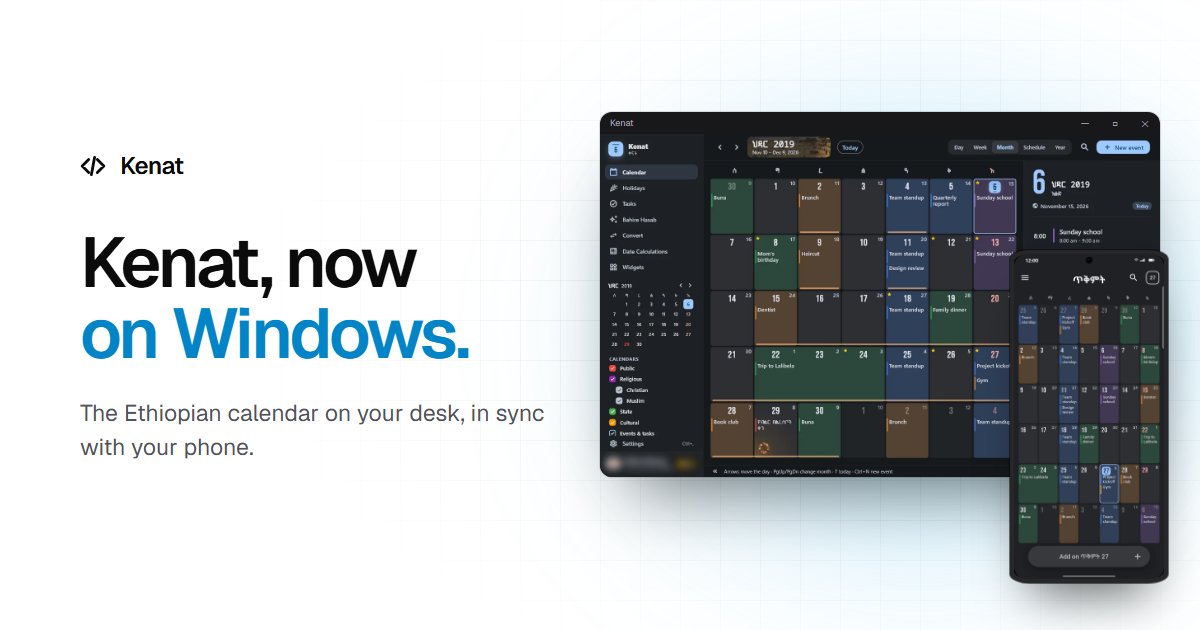
Kenat started as a phone app because that is where most people check the date. But a lot of the day happens at a desk, and the Ethiopian date should not mean picking up your phone, or doing the conversion in your head, while you work. So Kenat now runs on Windows, from the same code as the Android app, with the same calendar engine underneath.
This post covers what Kenat for Windows does, and what changed in Kenat 2.3 on Android along the way.
The Same Calendar, Laid Out for a Wide Screen
Kenat for Windows is not the phone app stretched across a monitor. It has its own layout: a sidebar on the left with the pages, a mini month and the holiday calendars; the month in the middle; and your day on the right — today’s agenda, quick buttons for a new event or task, your open tasks, and the next holiday with its artwork.
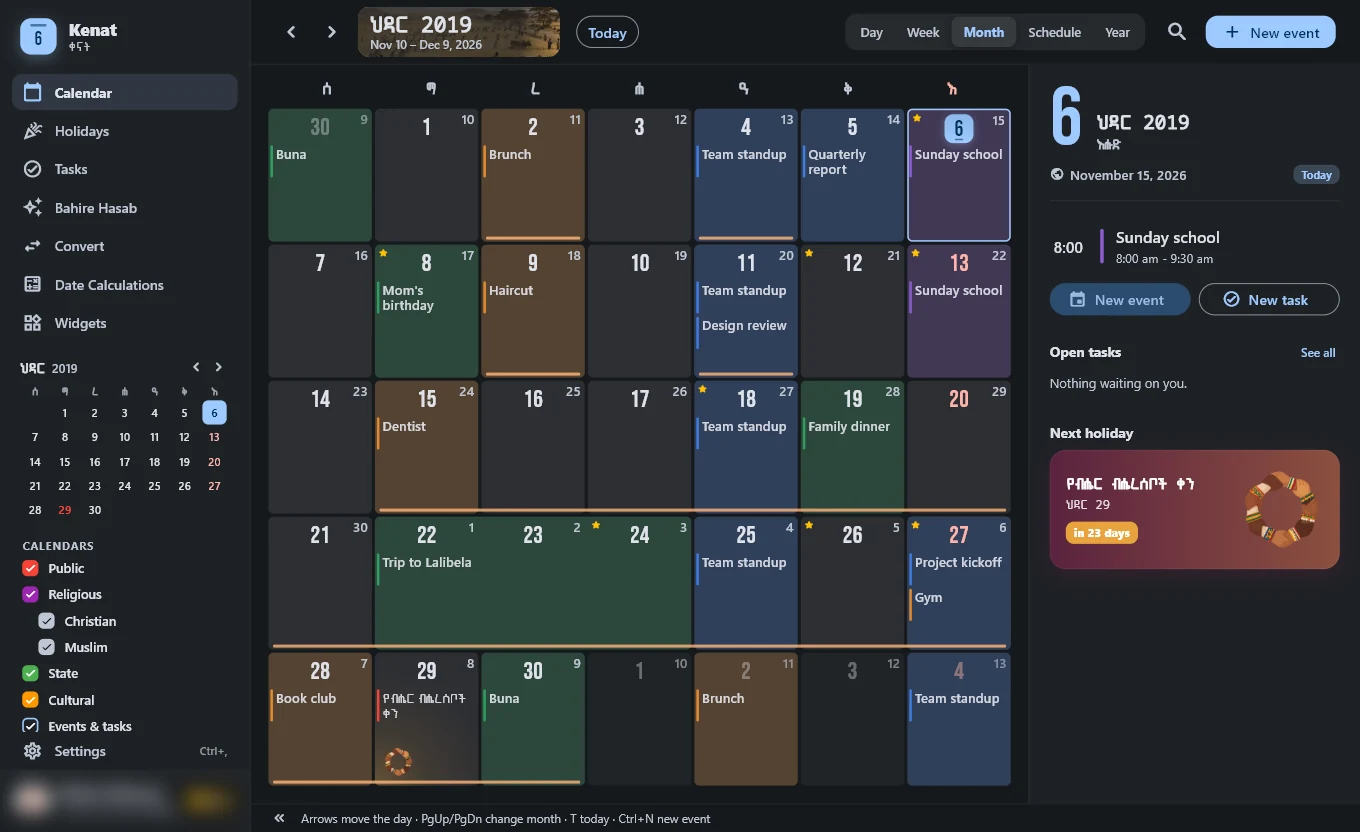
Everything the phone does that a PC can do is there:
- Five calendar views — day, week, month, schedule and year.
- Holidays and fasts — public, Orthodox, Muslim and cultural holidays, each with its artwork, and the fasting periods in Orthodox mode.
- Bahire Hasab, the date converter and date calculations.
- Events and tasks with Ethiopian repeats: every Meskerem 1, the 12th of each month, every Sunday.
- Search, Ge’ez numerals, Ethiopian time, Amharic and English, and light and dark themes that follow Windows.
The title bar takes the app’s own colour, and the window remembers its size and position.
The Date in the Tray
Close the window and Kenat keeps running in the system tray. Its tray icon is the Ethiopian date — the first two letters of the month above the day — drawn white on a dark taskbar and black on a light one. The date is never more than a glance away, and clicking the icon brings the window back.
Turn on Settings → Start with Windows and Kenat starts in the tray when you sign in, without opening a window.
Widgets on the Desktop
The Widgets page puts pieces of Kenat on the desktop itself: Today, Month & agenda, Countdown, an analog clock with a seconds hand, a dot-matrix digital clock, Two months, a Progress widget, and — in Orthodox mode — Fasting and Saint’s day.
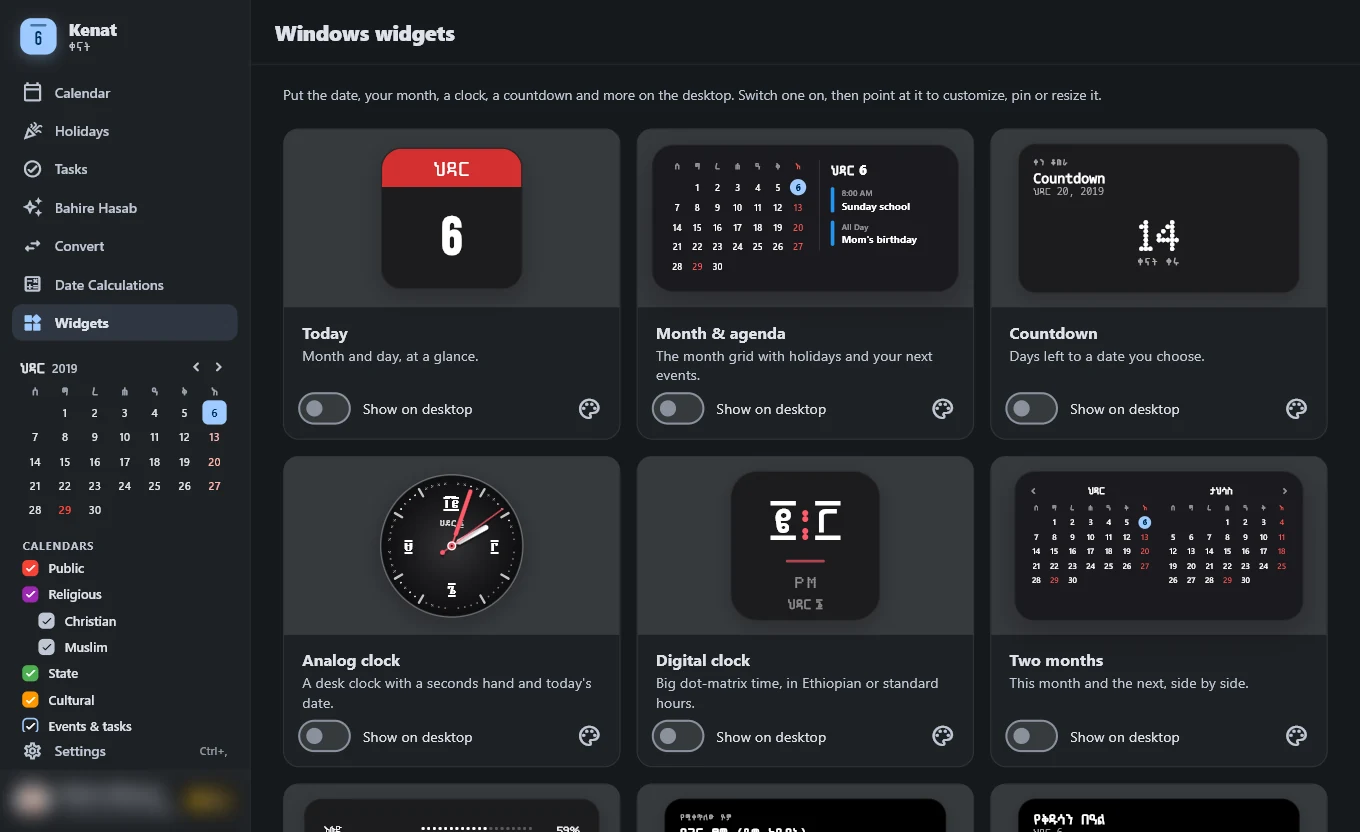
Each widget is its own small window. Drag it anywhere and drag a corner to resize it. Point at it to show three buttons: Customize, Pin to keep it above other windows, and Close. Clicking the widget opens Kenat on today.
On Windows 11, Today, Agenda and Countdown are also on the Widgets Board, next to the weather and the news.
Built for the Keyboard
On a desk, the keyboard is faster than the mouse:
- Arrow keys move the selected day; PgUp and PgDn change the month; T jumps to today.
- Ctrl+N adds an event, Ctrl+T a task, Ctrl+F searches.
- Ctrl+1 to Ctrl+5 switch between day, week, month, schedule and year.
- Ctrl+B hides the sidebar, Ctrl+, opens Settings.
The shortcuts are listed along the bottom of the calendar, so there is nothing to memorise first.
Your Phone and Your PC, in Step
Sign in with the same Google account you use on your phone, and your Kenat events and tasks are on both. Add something on one and it shows on the other a few seconds later. A PC has no calendar of its own, so the events from your phone’s calendar appear too, read-only.
Kenat Pro comes with your account. If you are Pro on Android, sign in on Windows and Pro is unlocked there — there is nothing to buy again.
While Kenat is running, reminders for your events and tasks, and the holiday greeting, arrive as Windows notifications.
What’s New in Kenat 2.3 on Android
The phone app got a visual refresh at the same time.
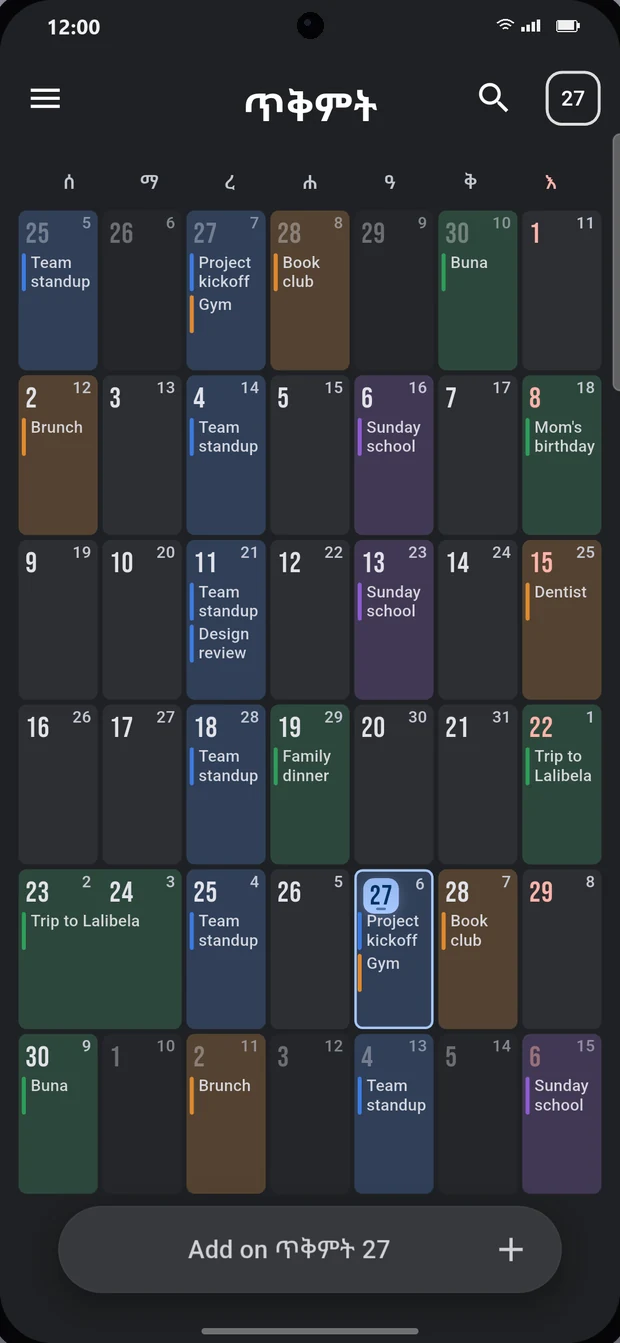
- The calendar grid. Day numbers are larger and set in Kenat’s display fonts. Today has its own tile. Holiday days glow in that holiday’s colours, and fasting days have a thin band underneath. Event labels choose dark or light text by real contrast, so they stay readable on every colour.
- Pagume gets its own layout. The 13th month has five or six days; instead of a mostly empty grid it now shows them as large day cards with a countdown to the New Year.
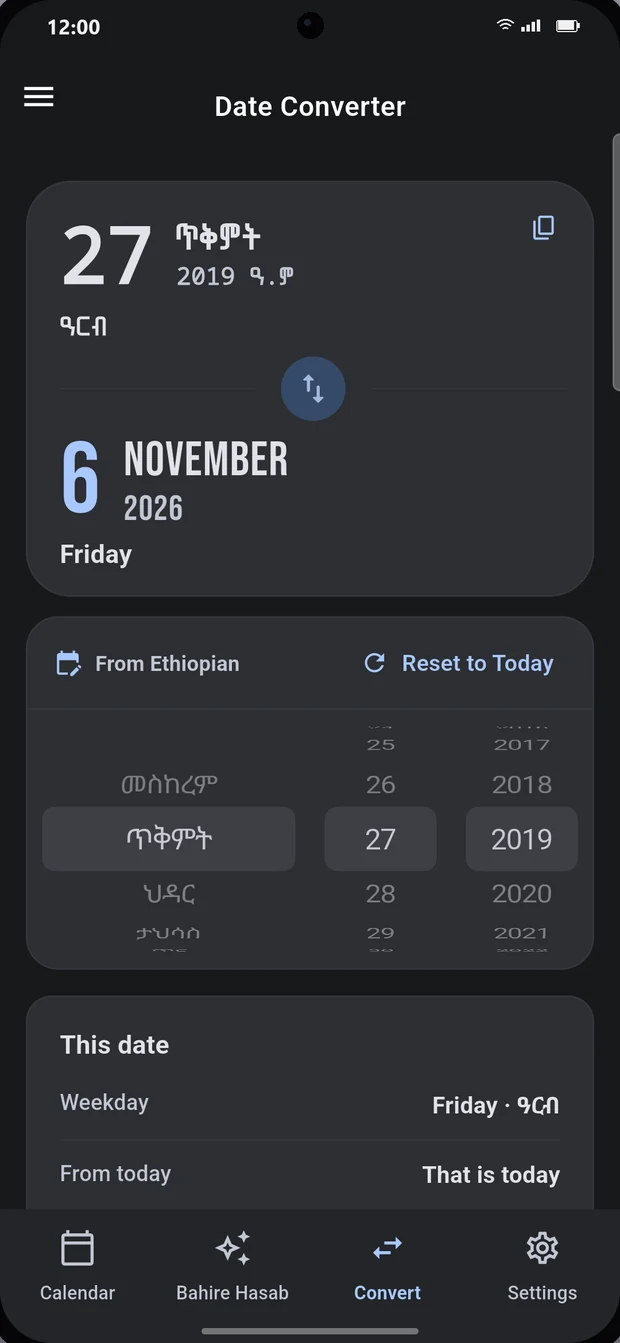
- The converter fits on one screen. Both dates are set large, the swap button changes direction, and a new panel shows the weekday, how far the date is from today, the year’s Evangelist and any holidays that week.
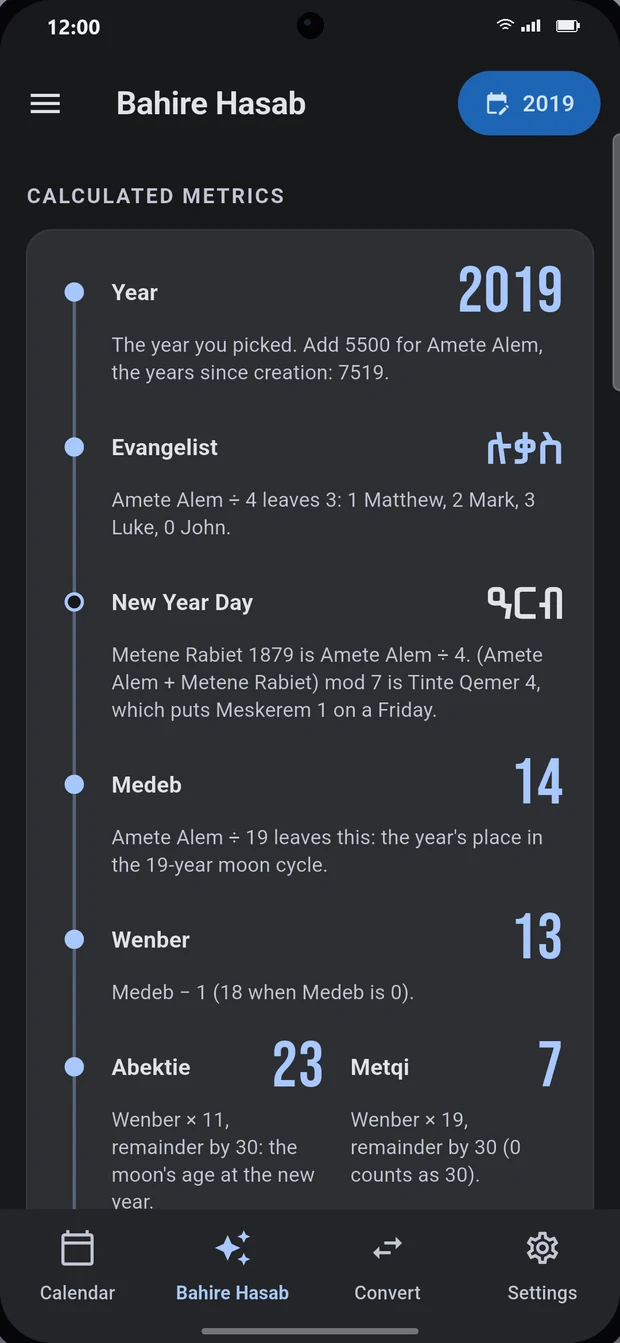
- Bahire Hasab shows its working. Instead of a table of numbers, the year is worked out step by step — Amete Alem, the Evangelist, Medeb, Wenber, Abektie and Metqi, through to Nineveh — with a line explaining each step.
- Ethiopian colours. Six new accent colours: Meskel yellow, Timket blue, Buna brown, Lemlem green, Teff red and Lalibela stone.
- A clearer Settings page, regrouped, with a live preview at the top that changes as you adjust the theme, colour, numerals and language.
- Watch faces for the analog clock widget, drawn in code, with Ge’ez, Roman or Arabic numerals.
- The widget preview stays on screen while you scroll through its options, so you can see each change as you make it.
- Fixed: adding the countdown widget no longer crashes after you name the event.
Get Kenat
Kenat for Windows is in the Microsoft Store for Windows 10 and 11, and Kenat for Android is on Google Play . Kenat 2.3 is on its way to both.
See everything on the Kenat app page, and if you are building something of your own, the engine behind it is open source.